YOUR PAYMENT GUIDE
MAYA Deposit Guide for WJ2 Philippines.
Simula sa ₱100. Sundan ang 5 steps.
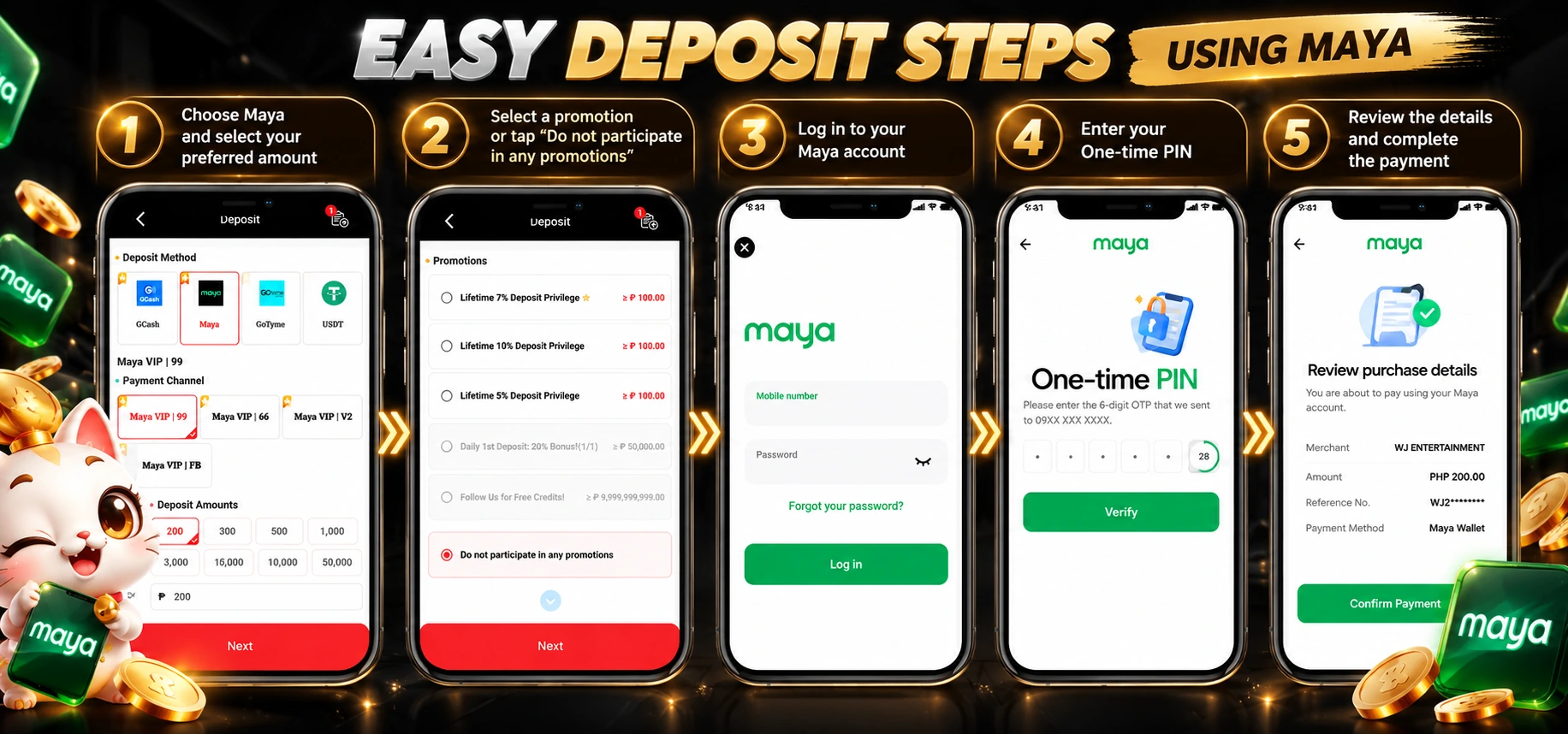
- 01
Choose MAYA & amount
Open Deposit, select Maya and your preferred payment channel. Enter ₱100 or more, then tap Next.
- 02
Choose your promotion
Read the offer requirements and select an eligible promotion, or choose “Do not participate in any promotions.” Tap Next.
- 03
Log in to MAYA
On the Maya payment screen, enter your mobile number and password, then tap Log in.
- 04
Enter your one-time PIN
Enter the 6-digit OTP sent to your Maya-registered mobile number, then tap Verify. Enter the code only on Maya's verification screen.
- 05
Review & confirm
Check the merchant, amount and reference number on the review screen. If the details match your order, tap Confirm Payment.
Use your own payment order. Amounts, promotions and reference details in the screenshots are examples. Confirm the current details shown for your own order.
After payment: Return to WJ2 and check the order status and balance. If the payment is not reflected, keep your Maya transaction reference for support.
Quick answer
Depositing with MAYA takes five steps: choose Maya and an amount of ₱100 or more, select an eligible promotion or skip promotions, log in with your mobile number and password, enter the six-digit one-time PIN, then review the merchant, amount and reference number and confirm the payment.
- Confirmed minimum deposit: ₱100. Amounts in the tutorial screenshot are examples.
- Enter the OTP only on Maya's verification screen.
- If a payment is not reflected, keep the Maya transaction reference for support.