YOUR PAYMENT GUIDE
GCash Deposit Guide for WJ2 Philippines.
Simula sa ₱100. Sundan lang ang steps.
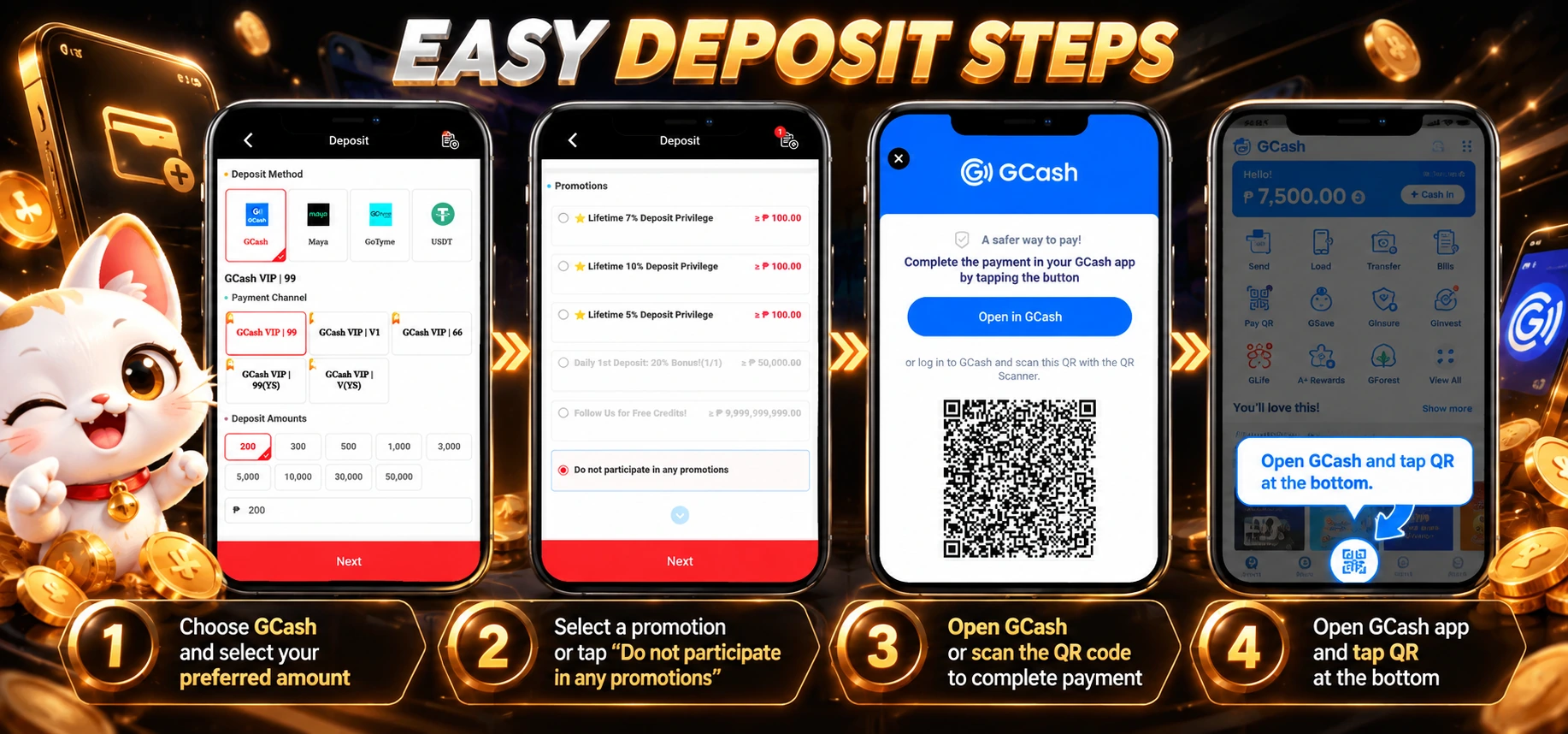
- 01
Choose GCash & amount
Open Deposit, select GCash and your preferred payment channel. Enter ₱100 or more, then tap Next.
- 02
Choose your promotion
Read the offer requirements and select an eligible promotion, or choose “Do not participate in any promotions.” Tap Next.
- 03
Open GCash or scan
On the payment page, tap Open in GCash. Alternatively, scan the QR code from your own payment order using the GCash app.
- 04
Confirm your payment
For the scan option, open GCash and tap QR at the bottom. Scan your order code, check the recipient and amount, then confirm the payment in GCash.
Use your own order QR. The code in this tutorial is an example. Always generate a new payment order in your account.
After payment: Return to WJ2 and check the order status and balance. If the payment is not reflected, keep your GCash reference number for support.
Quick answer
Depositing with GCash takes four steps: choose GCash and an amount of ₱100 or more, select an eligible promotion or skip promotions, tap Open in GCash or scan the QR from your own payment order, then check the recipient and amount and confirm the payment in GCash.
- Confirmed minimum deposit: ₱100. The ₱200 in the tutorial screenshot is an example.
- Always generate a new payment order in your own account; never reuse an example QR code.
- If a payment is not reflected, keep the GCash reference number for support.